
- Start by visiting The Real World 2.0 pricing page.
- Choose your plan: Conquer (monthly or yearly) or Champion. (Vanguard is currently sold out.)
-
Proceed to checkout after selecting.
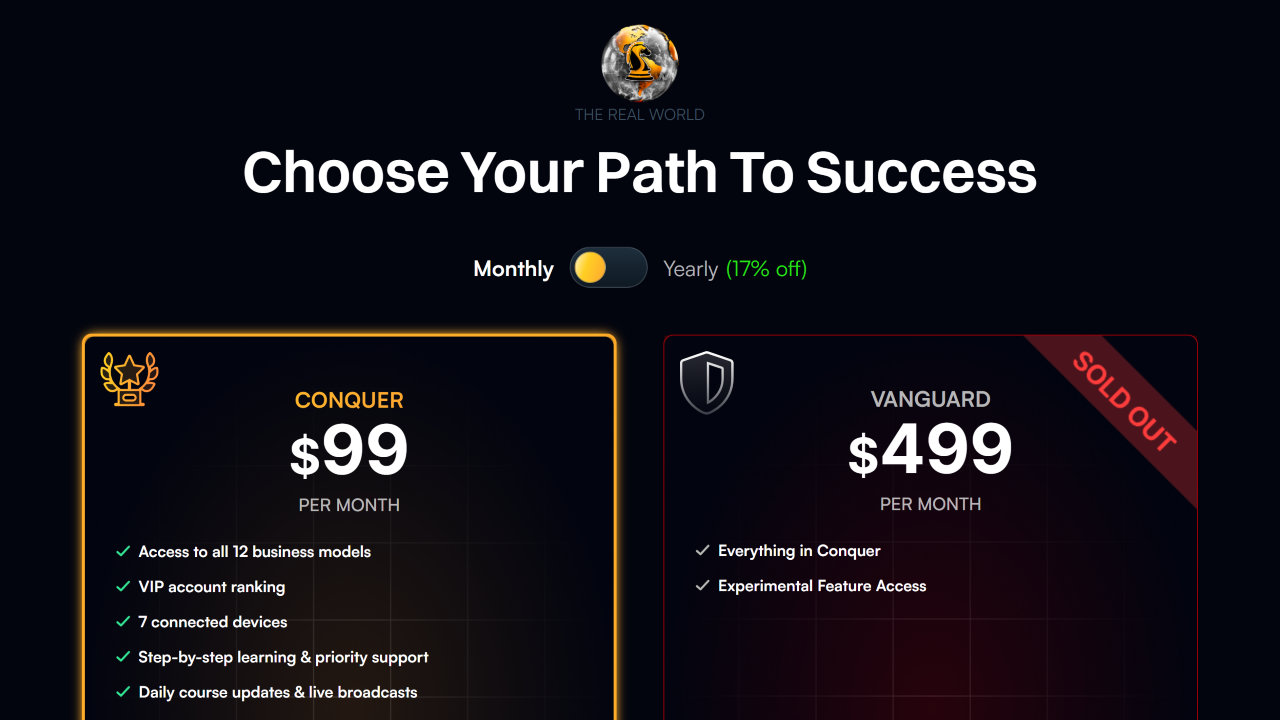
- Pick your payment method. The Conquer monthly option accepts card, Apple Pay, or crypto. For new members, Conquer Yearly and Champion are crypto-only (USDC, USDT, Ethereum, or Solana); existing members may renew or upgrade to these by card.
-
Enter your info, accept the terms and privacy policy, and click “Enter The Real World“
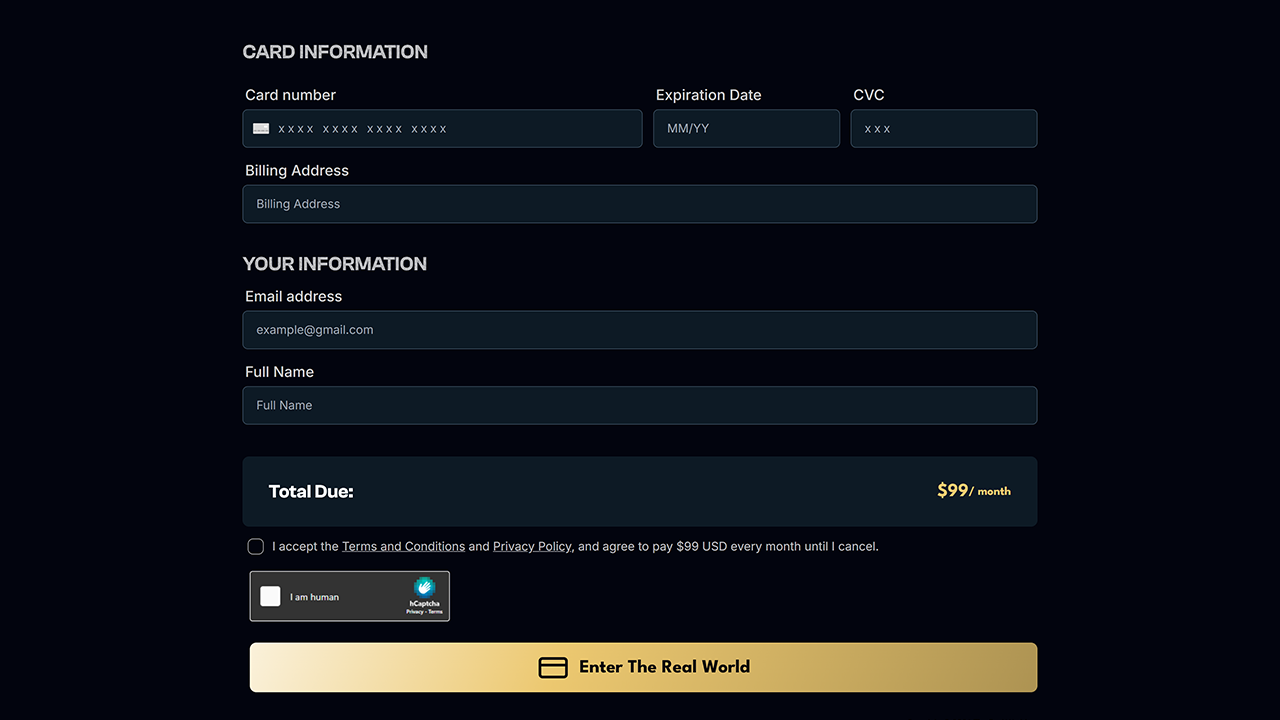
- Complete the secure checkout for your chosen payment method.
That’s it! After your payment has been confirmed, you’ll get two emails: one payment receipt and one with account setup instructions.
Video Tutorial
Can I join The Real World 2.0 for free?
No, The Real World 2.0 is a paid membership platform. Currently, we do not offer any free trials or complimentary access due to the nature of our content.
Fixing payment errors at checkout
If you’re getting a payment error during checkout:
- Try completing the checkout process using a different device.
- Try a different payment method or card.
- Visit our error guide for full troubleshooting.
Need help joining?
Need personal help joining, trouble with a step, or questions before signing up? Feel free to contact support anytime.