
Follow the steps below to join The Real World 2.0 with crypto.
-
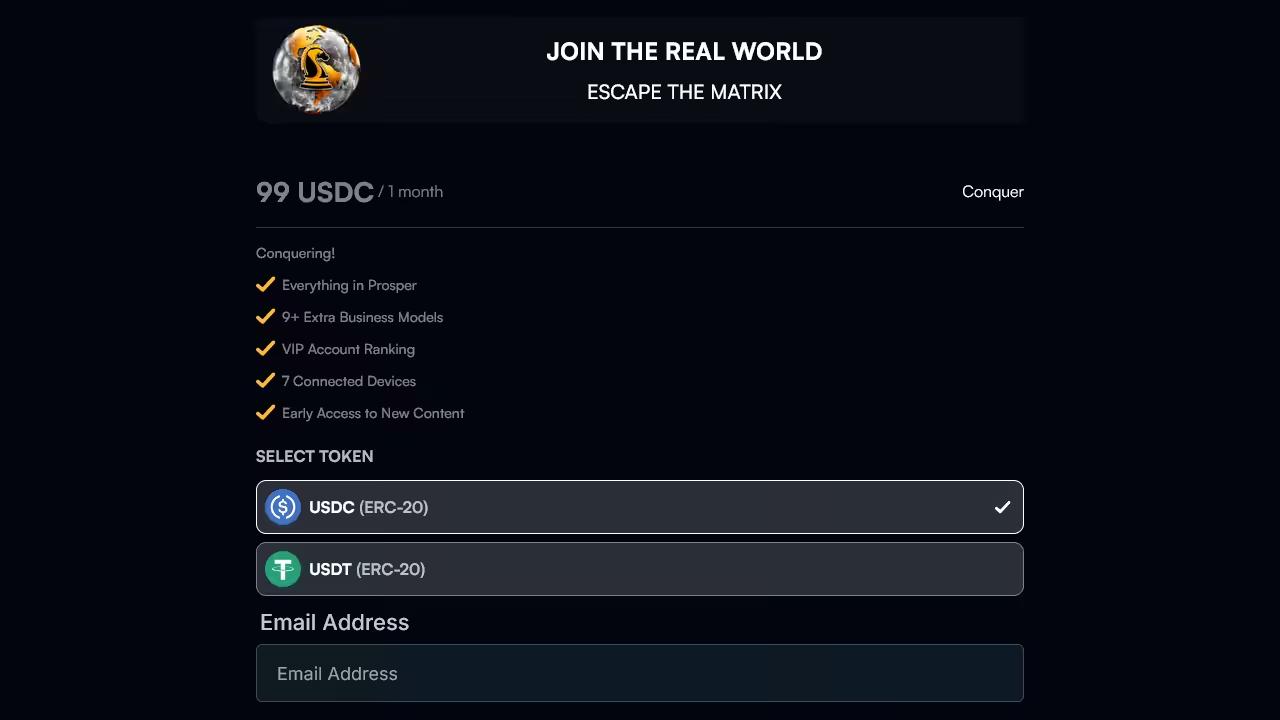
Open the checkout page. If crypto payment for the Monthly Conquer Plan is currently not available on the standard checkout page, use the separate Conquer checkout instead.
-
Select your preferred cryptocurrency:
- Monthly Conquer: USDT (ERC-20) or USDC (ERC-20).
- Yearly Conquer: USDT (ERC-20), USDC (ERC-20), ETH (ERC-20), USDT (Solana), USDC (Solana), or SOL (Solana).
-
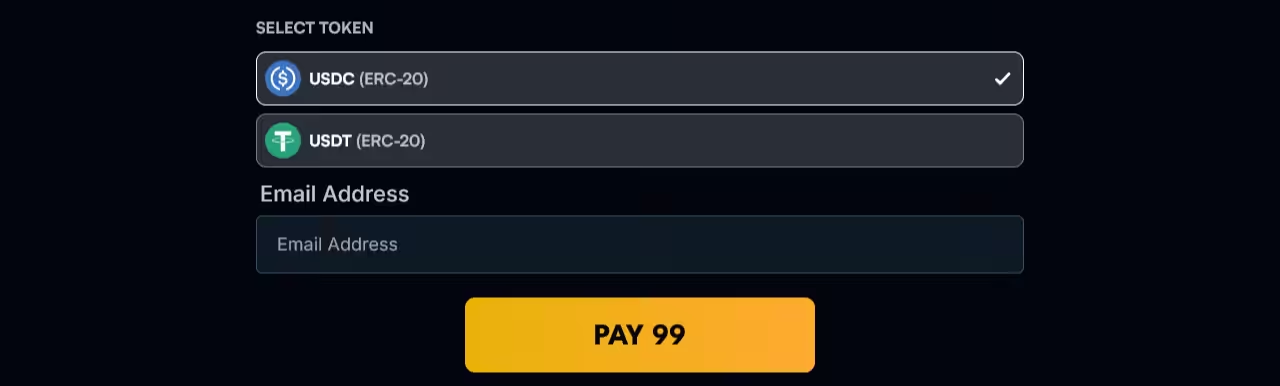
Enter your email address, accept the Terms and Privacy Policy, then click “Pay.”
-
Review the payment amount and make sure you send enough crypto to cover network fees so the amount received matches the checkout total.
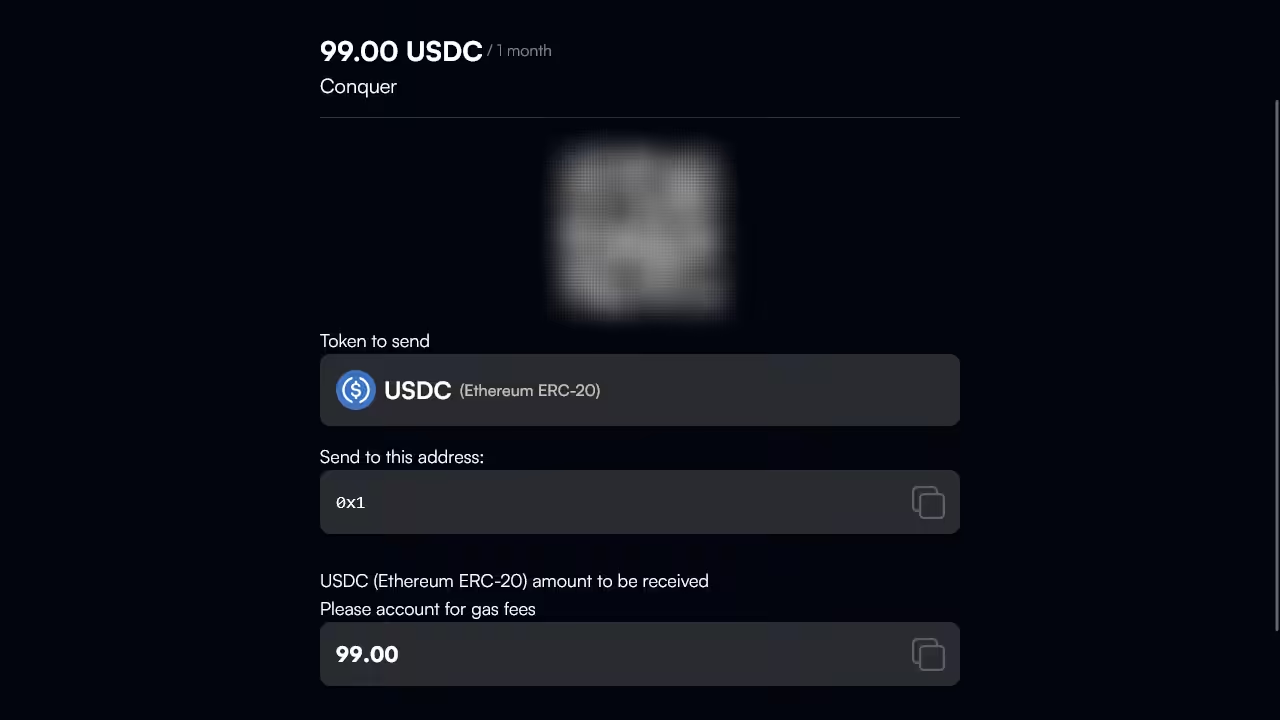
- Send the payment to the address shown, either by scanning the QR code or pasting the wallet address manually.
You’re done. After confirming your transaction, allow for up to 90 seconds for the transfer to complete. Alongside your payment receipt, you will also receive an email with instructions on how to create your account.
If you are new to crypto, first learn how to buy USDT or USDC in your country using a trusted beginner guide.
Once the crypto is in your wallet or exchange account, follow these steps to send it to the payment address shown on checkout.
- Open your USDT or USDC balance in your wallet or exchange account.
- Choose Withdraw or Send.
- Scan the QR code on the checkout page or paste the payment address manually.
- Select the Ethereum (ERC-20) network.
- Make sure you send enough crypto so the received amount matches the checkout amount, including any network fees.
- Confirm and send the payment.
Note: Depending on your wallet or exchange, the exact steps may look slightly different. ERC-20 tokens use the Ethereum network, so fees are paid in ETH.
If you see this error during checkout, crypto payments are temporarily unavailable. Please try again later, or visit our error guide for full troubleshooting.