
Standard memberships can be canceled anytime. Special terms apply for 12-month Hero’s Year commitments (see below).
-
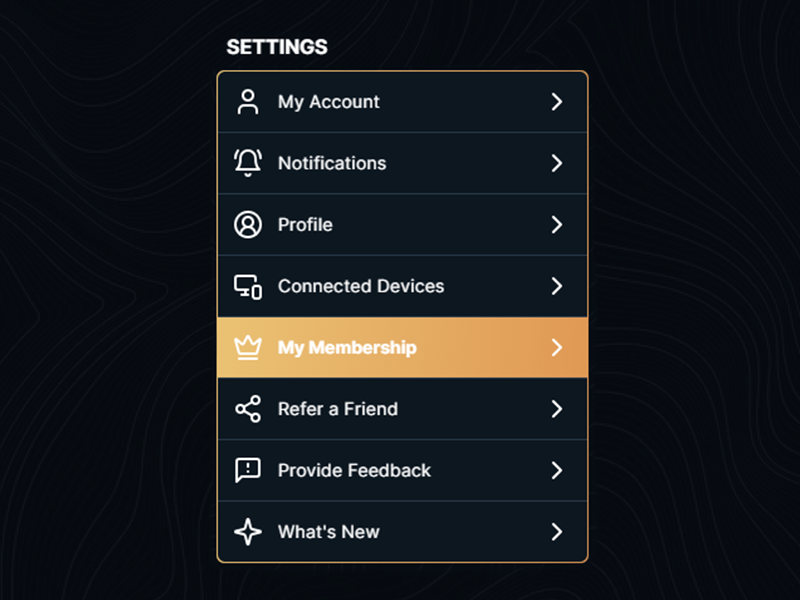
Go to “My Membership” in your account settings to change your preference.
-
Scroll to the bottom and tap or click Quit.
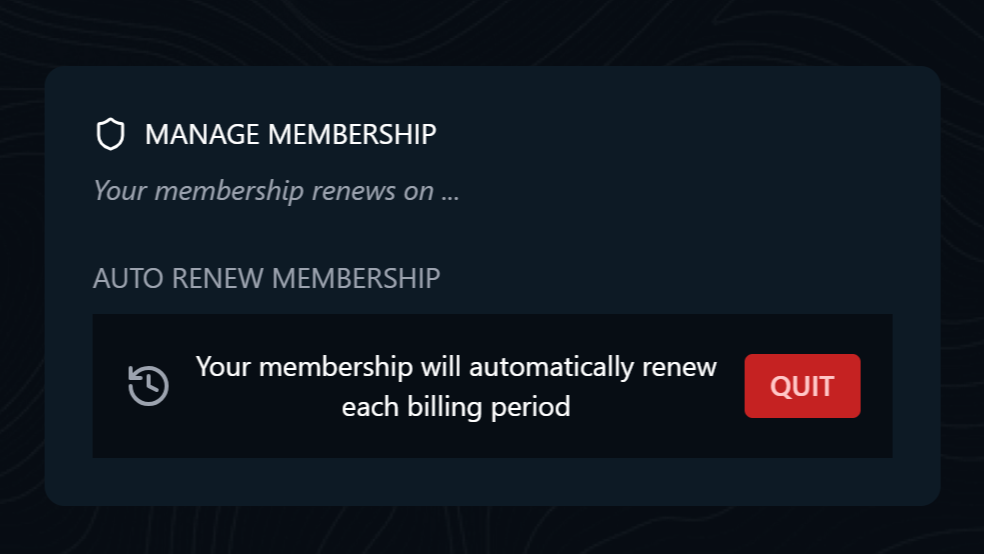
That’s it! A confirmation email will be sent to the email on the account.
Note: This is the only way to cancel your account and end your membership. Signing out of your account or deleting the The Real World 2.0 app doesn’t cancel your account.
- Card-based memberships: Canceling stops future automatic renewal and you won’t be charged again. You keep access until the end of your current billing period.
- Crypto-paid memberships: There is no recurring charge to stop. Crypto payments do not renew automatically and must be manually repaid to keep the membership active, so canceling simply means choosing not to repay at the end of the period.
If you purchased your The Real World 2.0 membership using cryptocurrency, you do not need to do anything. Crypto payments are not recurring and must be made manually to keep the membership active, so they do not need to be canceled.
There is currently no option to pause your membership in The Real World 2.0. If you cancel or choose not to renew, your membership will remain active until the end of your current billing period. After that, it will become inactive, and inactive accounts may be deleted if not reactivated.
If you chose the Conquer monthly ($99/month) option with a 12-month Hero’s Year commitment, you agreed to keep the membership active for that 12-month period. Canceling before the commitment period ends breaks that commitment. This variant is separate from standard memberships, which can be canceled anytime.
If you’re facing issues canceling your The Real World 2.0 account, message the live chat support team:
- Click the question mark icon in the top-right of the app (desktop).
- Or tap the yellow live chat icon in the bottom-right after opening your profile settings (mobile).
You can rejoin at any time and regain access to your account, provided it hasn’t been deleted yet.
Follow these steps to rejoin The Real World 2.0:
- Visit our pricing page.
- Choose your preferred membership plan and proceed to the checkout page.
- Complete the checkout process using the same email address you used to sign up originally.
Note: Be sure to use the same email address you used during your initial sign-up. This ensures you regain access to the correct account.